

Vawito, by ACIDRIPP
Your AI assistant.
The AI models you already use, in one Mac app that remembers your work, gets things done and keeps your data and secrets on your Mac.
Request early accessMac with Apple silicon / macOS 14 or later

Works with the AI you already have
 Claude
 ChatGPT and Codex
 Gemini
 Grok
 DeepSeek
 Kimi
 Local model, on your Mac
- More providers on the way
Sign in with your own subscription or paste an API key. Vawito adds no AI bill of its own. Product names and logos belong to their owners.
What sets it apart
Five things we built because nobody else had them.
Vawito has been more than a year in the making, used every working day. These are the parts we could not find anywhere else, including in the AI companies' own apps.
- 01
One memory for every model
Your projects, memory, rules and plan belong to you, not to one AI company. Start with Claude, continue with ChatGPT, ask Gemini to check it: each one knows what was decided, and you use the subscriptions you already pay for.
- 02
A vault the AI can use but never read
The AI signs in to sites, calls services and fills two-step codes from your encrypted vault, without the password, key or code ever reaching the model. You set per item whether it must ask first.
- 03
Your models work as a team
Brainstorm puts one question to two models and lets them debate it. A chat can also hand up to six side tasks to your other models and bring back every answer, marked with the model that gave it.
- 04
Bring your AI history with you
Import your chats, projects, rules and files from the other AI apps and websites, without duplicates, then carry on any of those conversations where it stopped.
- 05
Your own apps, with a real database, on your Mac
Describe a tool and the App Builder makes it. Each app keeps its data in its own database on your machine and can use your mail, calendar, files and an AI model, but only what you allowed.
01 / Models
Every model in one window.
Stop switching apps to ask a second opinion. Each chat picks its own model, or lets Vawito pick.
- Auto chooses a suitable model for each message.
- Brainstorm puts one question to two models, then lets them debate it.
- Helpers hand up to six side tasks to your other models and bring every answer back.
- Out of quota? The task pauses and waits. Nothing is lost.
- Several accounts per provider, for example work and personal.
02 / Memory
It remembers, so you do not repeat yourself.
Work lives in projects. What you decided last week is still there this week, whichever model you ask.
- Projects keep chats, a folder, rules, a plan and notes together.
- Memory carries earlier work across chats and models.
- Rules are standing instructions, for everything or one project.
- Plan and Notes sit beside the chat and are shared with the AI.
- Import your chats and projects from other AI apps, without duplicates.
- Context inspector shows exactly what was sent, and lets you make it forget.
GPT 5.6▾Chat▾Skills03 / Work
It does the work, and asks first.
Vawito reads, drafts, clicks and files for you. Anything that changes something waits for your yes.
- Mail, calendar, contacts, Drive and tasks with a connected Google account.
- A full browser inside the app. The AI works in its own tabs and never takes yours.
- Computer control to look at and operate other apps on your Mac.
- Scheduled tasks and follow-ups, such as a summary every morning.
- Approvals, file history and undo keep you in charge.
- Connectors for social, work, shop and home services.
04 / Private
Your chats, memory and secrets stay on your Mac.
There is no Vawito cloud holding your work. History, memory, files and the vault are stored on your own machine.
- Encrypted vault for passwords, keys and secure notes, per project if you like.
- The AI signs in without seeing the password. It asks the vault to fill it.
- 2FA codes live in the vault, with the countdown.
- Touch ID lock, and no master password to leak.
- Encrypted backup to move to a new Mac.
To be plain about it: the messages you send go to the AI provider you picked for that chat, as they would in that provider's own app. Usage statistics can be turned off in Settings. For work that must not leave the room, see the local model below.
Opus 5.5▾Chat▾Skills05 / Local AI
A model that runs on your Mac.
Vawito can run a small AI model on Apple silicon, with no internet and no account. It handles the quick jobs without sending a word anywhere.
- Smart suggestions as you type.
- Fix for spelling and grammar, in place.
- Small helper tasks, so your paid quota goes to real work.
- Works offline, on a plane or behind a strict network.
Fix, by the local model. 3 corrections: summarise, the, tomorrow's. Nothing was sent anywhere.
with action itemsin five bullet pointsfor the whole team
Local model▾Chat▾Skills06 / Build
For people who build things.
A real terminal, a safe copy of your repository and the tools your stack already speaks.
- Working in isolation: the AI changes a separate copy of your git project.
- Terminal pane in the project folder, showing what the AI runs.
- Code intelligence: errors, definitions and references from the compiler.
- Checks after changes: "done" without a test run gets a Run checks button.
- Tool servers such as GitHub or a database, from a built-in catalogue.
- Preview panel, charts, diagrams and maths right in the chat.
Codex▾Chat▾Skills107 / Apps
Small apps of your own, built by talking.
Describe the tool you wish you had. The App Builder makes it, and it lives on a desktop inside Vawito.
- App Builder builds and changes your apps in a conversation.
- A database for every app, in the PostgreSQL built into Vawito on your Mac.
- Apps can use an AI model, your calendar, notes, mail, files and timers, each only after you allow it.
- Share an app as one file. Your data and keys never travel with it.
The App Builder works with Claude for now.
Opus 5.5▾Chat▾Skills08 / Skills
Better questions, better answers.
You should not need to be a prompt expert. Vawito brings the method, you bring the problem.
- 78 built-in skills: proven ways of working, from finding the root cause of a bug to research with sources.
- Sharpen rewrites a rough draft into a clear request, keeping every name, number and path.
- Prompt help adds the right documents and your "done means" line without changing your words.
- Expert chats always work with one skill, such as a reviewer or your writing voice.
- Your own skills, written once and reused.
Skill suggested: Find the root causeAttached: checkout.md
Grok▾Chat▾Skills109 / Everyday
A front door for the whole day.
The Lobby is the chat for everything that is not a project yet. It opens with your day already on the table.
- Today strip: your events and unread mail, read directly, with no AI quota used.
- Action buttons for the things you ask every day, plus your own.
- Search all projects from one place.
- Config Wizard: say what you want in your own words and it sets it up with you.
- Queue: keep writing while the AI works. Your next message waits its turn.
- Dictation: speak instead of typing.
Good morning
Ask anything. Your projects stay closed until you ask about one.
Start a projectSearch my projectsPlan my dayWhat came in overnightAsk about a file
Today from your calendars
09:30Standup
14:00Call with Radu
Mail since last night
7unread, 2 from clients
1needs a reply today
10 / Character
Meet Vawito.
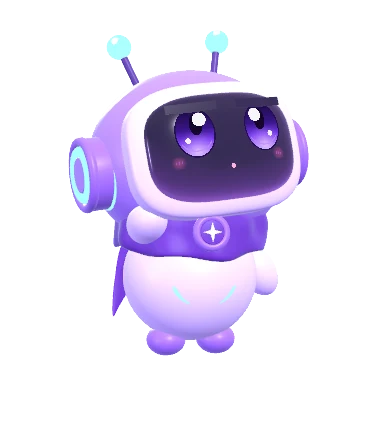
The character stands on the message box and shows what the AI is doing, so you can tell at a glance without reading a status line.
- Thinking, working, searching, done: each has its own movement.
- Sounds when a reply is ready or a question waits, and quiet hours when you want none.
- Themes, text size, motion and a background of your choice.
- At a glance: what is running, what waits for you, and what it cost in quota.
- Thinking
 Working
 Searching
 Done
All features
Everything in the app today.
This list is generated from the app's own feature guide, so it matches the build.
Loading the feature list.
No feature matches that. Try a shorter word.
Coming soon
What we are building next.
None of this is in the app yet. We list it so you know where Vawito is going.
For teams and companies: chat and shared projects
This is where the whole app has been heading. Today Vawito is one person and their AI. Next it becomes the place where a team works, with people and AI in the same conversation.
- Chat with people and AI together. Message a colleague directly or in a group, and bring an AI into the conversation when you need one. Everyone sees who said what, and which model answered.
- Shared projects. One project with its chats, plan, notes and files, open to the people you invite, each working with their own AI subscription.
- Share a login, not the password. Give a teammate the use of a vault item, with a log of who used it and when.
- Rooms for clients. A client sees only their room and the work you chose to show, never your other chats.
- Run it for a company. Members, seats, roles and an activity log, managed by your own admins.
- In the works
Vawito Mobile
Take your Mac's AI work on the go. Follow a running task, answer its questions and approve steps from your phone, while the work and the data stay on your Mac.
- Planned
App Store
Find apps other people built with the App Builder, and publish your own.
- Planned
Theme store
More looks for the app and the character, made by us and by the community.
- Planned
More AI providers
We keep adding providers and local models, so the app follows whichever AI you choose next.
Early access
Be one of the first to use it.
We are opening Vawito in small waves, so each group gets real attention. Leave your email and we will write when your place is ready.
Mac with Apple silicon / macOS 14 or later
Request received
Check your email
We sent a link to . Open it to confirm your place on the list. It works for 7 days.